How to Save Recipes from Cooking Classes (In-Person Cards, Zoom & MasterClass)
You paid for the class. You cooked the dish. You left with a recipe card. And now the card is in a drawer under a takeaway menu, the Zoom recording has expired, and MasterClass wants another £180 / year before it will show you the workbook again. Here is how to get every cooking class recipe into a place you actually own.
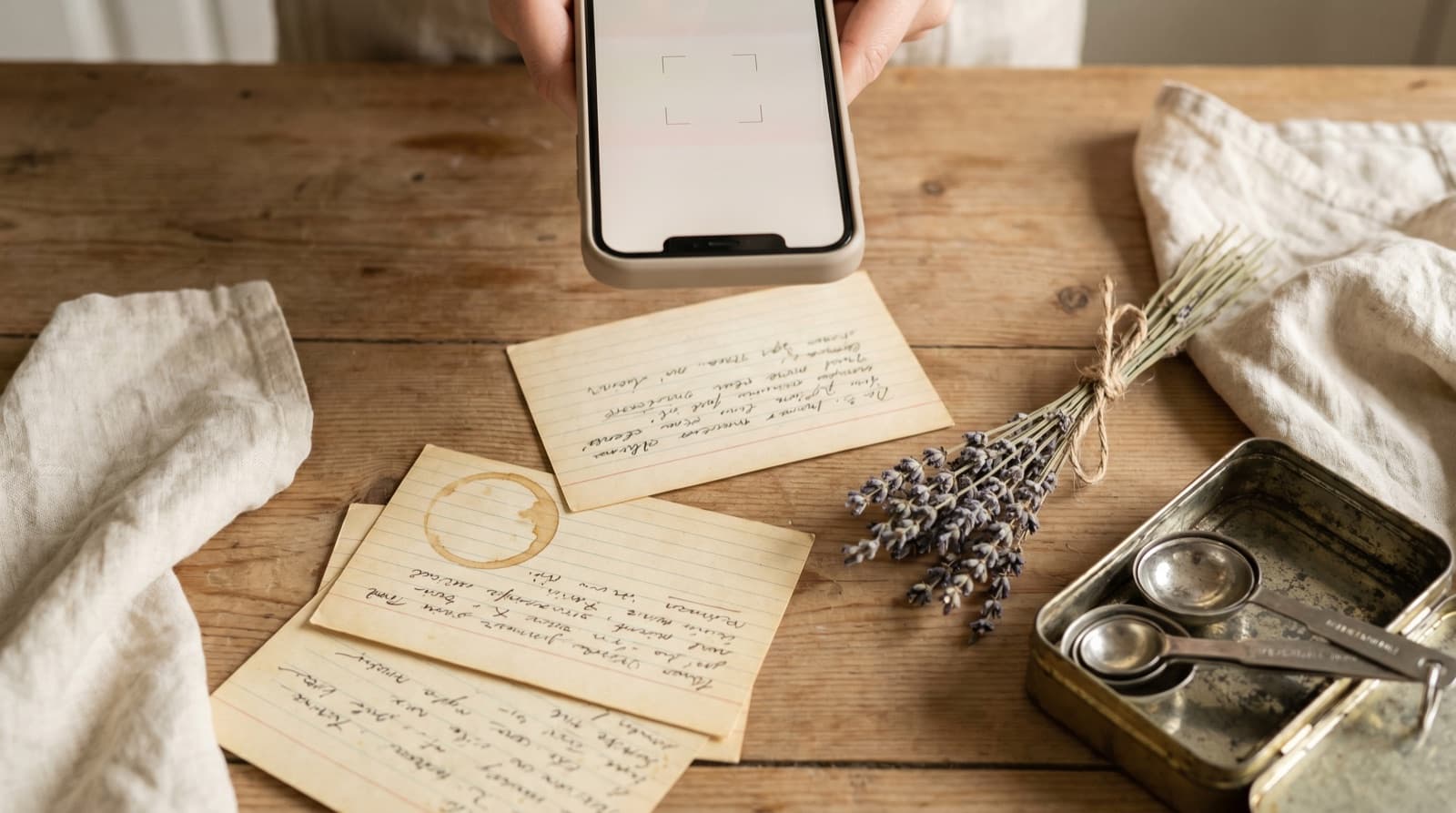
Cooking classes are one of the most concentrated sources of high-quality recipes a home cook encounters. A professional chef demonstrates a dish from scratch, explains the rationale behind each technique, and adjusts in real time when something goes wrong. The recipe that comes out of that session is tested, contextualised, and adapted for the students in the room — which is genuinely different from a recipe developed for a faceless internet audience.
The problem is what happens to the recipe after the class ends.
In-person classes hand you a printed card or a laminated sheet. That card goes into a bag, then a pile on the kitchen counter, then a drawer somewhere it will not be found again for eighteen months. Zoom cooking classes email a PDF before the session. That PDF lands in Downloads, gets buried under software installers and bank statements, and ceases to be findable in three weeks. Online subscription platforms like MasterClass provide beautifully formatted workbooks — locked behind the subscription. Cancel and they vanish along with the monthly direct debit.
The same recipe, in three different formats, with three different ways of becoming inaccessible. The solution is the same in every case: move it somewhere you own before the format makes it disappear.
In-Person Cooking Class Recipe Cards
A physical recipe card from a cooking class is the original format — pre-digital, tactile, and remarkably good at being lost. The typical fate of a class recipe card is a journey from bag to counter to kitchen drawer, where it lives alongside dead batteries and an instruction manual for a microwave you no longer own.
The fix is to photograph it the moment you get home, before the bag is unpacked. Open Pantree, tap + → Camera import, and photograph the card. Pantree reads the text — ingredients, quantities, method — and structures it into a searchable recipe entry. The whole process takes under two minutes per card.
A few things that help:
- Photograph in good light. Natural light from a window gives the cleanest text recognition. A card photographed under kitchen downlights often has shadow at the edges; flatten the card against a white surface and light from the side.
- Do both sides. Many cooking school recipe cards are printed on both sides — ingredients on the front, method on the back. Photograph each side separately and enter them as one recipe in Pantree.
- Add the class name as a note. Tagging the recipe with where it came from — “Sur La Table, November 2026” — makes it searchable later and gives you the context you will have forgotten by the time you want to make it again.
For handwritten notes you took during the class itself, the same camera import process works. Handwriting recognition is less reliable than printed text, so it is worth reviewing the parsed result before saving. See our fuller guide on digitising handwritten recipes for the specific workflow.
Zoom and Online Cooking Class PDFs
Most professional Zoom cooking class instructors send a PDF recipe handout before the session — either attached to the booking confirmation or emailed the morning of the class. This PDF is the canonical version of the recipe, and it is in a format that is technically accessible forever.
In practice, PDFs disappear into email attachments and rarely resurface. The number of people who have a coherent recipe collection in a Downloads folder is approximately zero.
When the PDF arrives, open it immediately and photograph each recipe page using Pantree’s camera import. Do this before the class starts, not after — you will not want to do admin immediately post-session, and the chance of doing it two days later is low. Pantree converts the page into a structured recipe. If the PDF has multiple recipes across multiple pages, treat each as a separate import.
If no PDF is provided before the class, ask the instructor. Most will send one; it is a reasonable professional expectation for a paid session. If the instructor teaches freestyle with no written materials (this happens, particularly in community workshops and informal food events), use the voice memo approach described below.
MasterClass, Rouxbe and Subscription Cooking Platforms
MasterClass is the most prominent example of a cooking education platform that provides excellent recipe content and then holds it hostage to a subscription. The platform hosts courses from Gordon Ramsay, Thomas Keller, Ina Garten, Massimo Bottura, and dozens of other top-tier culinary names. Each course comes with a downloadable PDF workbook that includes the recipes demonstrated in the lessons.
The workbooks are available while you are subscribed. Cancel, and you lose access.
The rule is simple: download the workbook immediately when you finish a course, not at the end of your subscription year. Most people plan to do this before cancelling and then forget. Download it now. A Gordon Ramsay MasterClass workbook is a PDF of roughly 60 to 80 pages; the relevant recipes inside it are two or three pages each.
Once downloaded, convert the recipes you want to keep into Pantree entries by photographing the relevant pages. You do not need to digitise the entire workbook — only the dishes you actually intend to cook. A targeted import of four or five recipes per course is a realistic target.
The same logic applies to:
- America’s Test Kitchen Online Cooking School — printable recipe cards per lesson, accessible while enrolled. Print and photograph, or photograph directly from the screen.
- Rouxbe Online Culinary School — PDF recipe cards per lesson, downloadable for enrolled students. Download immediately on completion.
- Udemy cooking courses — resource materials attached to individual lessons, downloadable any time you remain enrolled. Download the full resource pack before the course goes off your list.
- Craftsy / Bluprint — downloadable PDF pattern-style recipe cards for cooking courses. Same download-now principle applies.
Live Classes with No Written Materials
Some cooking classes — community workshops, pop-up supper club teaching sessions, informal classes led by home cooks — provide no recipe handout at all. The instructor cooks, you watch and cook alongside, and the only record of the recipe is what you can reconstruct from memory afterwards.
For these, a voice memo running throughout the class is the most practical capture method. Open Voice Memos (iOS) or Voice Recorder (Android) when the class starts, and narrate what you hear as the instructor adds ingredients: “About 300 grams of minced lamb, now she’s adding two teaspoons of cumin, a teaspoon of coriander.” You do not need to narrate continuously — just hit the key quantities and steps as they come.
At the end of the class, play back the memo and enter the recipe into Pantree using + → Text import. Flesh out the method from memory while it is still fresh — ideally within a few hours of the class, not the next morning when the specifics have blurred. Even a rough reconstruction entered that evening will be more useful than a detailed one attempted a week later from half-remembered notes.
Sur La Table, Williams Sonoma and Retailer Cooking Schools
Many high-street kitchen retailers run in-store cooking schools — Sur La Table in the US, Williams Sonoma, and their equivalents elsewhere. These classes generally follow a consistent format: a professional chef demonstrates three to four dishes, students eat the results, and everyone leaves with a printed recipe pack.
The printed packs are usually good quality — tested recipes, clean formatting, specific quantities. They are also exactly the kind of thing that ends up in a drawer.
Photograph the entire pack on the way home or while waiting for a train. Pantree handles multi-page imports — one recipe per import session. A four-recipe pack takes under ten minutes to digitise completely, and at the end you have a searchable library entry for every dish the class covered rather than a paper pack you will look for and not find the next time you want to make the braised short rib.
Williams Sonoma and Sur La Table also both email post-class recipe summaries to attendees. Check your inbox for these after any session — they are easier to import than a photographed physical card, since the URL import or copy-paste text import in Pantree handles clean HTML emails better than a PDF photograph.
Where Cooking Class Recipes Fit in the Fragmentation Problem
Cooking classes represent a very specific kind of recipe fragmentation: high-quality sources that are entirely dependent on a physical format or a subscription staying active. A recipe card from a Thomas Keller masterclass is more useful than most recipes on the internet. A recipe demonstrated in a three-hour Zoom session with a Michelin-trained chef is worth more than a decade of scrolling through food blogs. But both are worthless once the card is lost and the Zoom recording has expired.
The principle is the same as with Patreon archives, NYT Cooking subscriptions, and streaming cooking shows: discovery and ownership are not the same thing. You can attend the class without owning the recipe. Moving it into Pantree — before the card is lost, before the subscription lapses, before the Zoom link expires — is the step that converts a temporary experience into a permanent resource.
The recipe you paid to learn deserves to be in your kitchen library. Not in a drawer.
Frequently Asked Questions
Do you own recipes given out at a cooking class?
For practical purposes, yes. Recipes distributed as handouts at a class you attended are yours to keep and use. Copyright protects the specific written expression of a recipe — not the underlying technique or list of ingredients. A cooking school handing you a printed card or emailing you a PDF is giving you that document for your personal use. Digitising it into your own recipe library for personal cooking is not infringement. What you cannot do is redistribute the recipe commercially or publish it under your own name without permission.
How do I download recipes from MasterClass?
MasterClass provides downloadable PDF workbooks for most cooking classes, accessible from the 'Resources' or 'Workbook' tab within each lesson. These PDFs are typically available while your subscription is active. Download them immediately after completing a class rather than waiting — if your subscription lapses, access to the workbooks lapses with it. Once downloaded, the PDF belongs to you; open it in a PDF viewer and photograph individual recipe pages using Pantree's camera import to convert them into structured, searchable recipes.
What's the best way to save a recipe from a live Zoom cooking class?
The most reliable approach is to request a written recipe before or after the session — most professional Zoom cooking instructors send a PDF handout. If none is provided, a screenshot of any on-screen recipe cards during the session gives you a static image to import later. For classes where the chef cooks freestyle without written materials, a voice memo running throughout the session lets you narrate quantities and steps as you hear them. Transcribe the memo into Pantree immediately after the call while the context is fresh.
What cooking class platforms provide downloadable recipes?
MasterClass provides downloadable PDF workbooks for most cooking courses. America's Test Kitchen Online Cooking School includes printable recipes for enrolled students. Rouxbe Online Culinary School provides PDF recipe cards per lesson. Sur La Table and Williams Sonoma in-store classes email a recipe PDF after each session. Local cooking schools vary — most provide printed cards, some email PDFs, a few provide nothing in writing. Always ask before the class starts whether a recipe handout is included.
Can I use Pantree to import a cooking class PDF?
Yes. For PDFs with clear recipe text, the fastest method is to photograph individual pages using Pantree's camera import — hold your phone to the screen showing the PDF or print the page and photograph it. Pantree reads the text and structures it into a recipe with separated ingredients, quantities and method. For printed recipe cards from in-person classes, the same camera import works directly from the physical card. The result is a searchable, scalable recipe in your library that doesn't depend on a subscription, a Dropbox link, or finding the card in a drawer.
What should I do if a cooking class instructor won't share the recipe in writing?
This is rare for professional classes but does happen, particularly with informal community events or classes led by home cooks rather than professional instructors. In that case, write down the key elements during the class — ingredient names, approximate quantities, the sequence of steps — and enter them as a rough recipe in Pantree immediately afterwards. The goal is a reconstruction accurate enough that you can cook from it six months later, not a verbatim copy. Even a rough set of notes structured into a recipe beats a half-remembered dish you'll never make again.
The recipe you paid to learn shouldn’t live in a drawer.
Photograph the card, download the PDF, import the workbook — and every cooking class recipe is searchable, scalable and shoppable in Pantree. Free on the App Store.